Thinking1m 5s · ↓ 2.4k
01
Notch
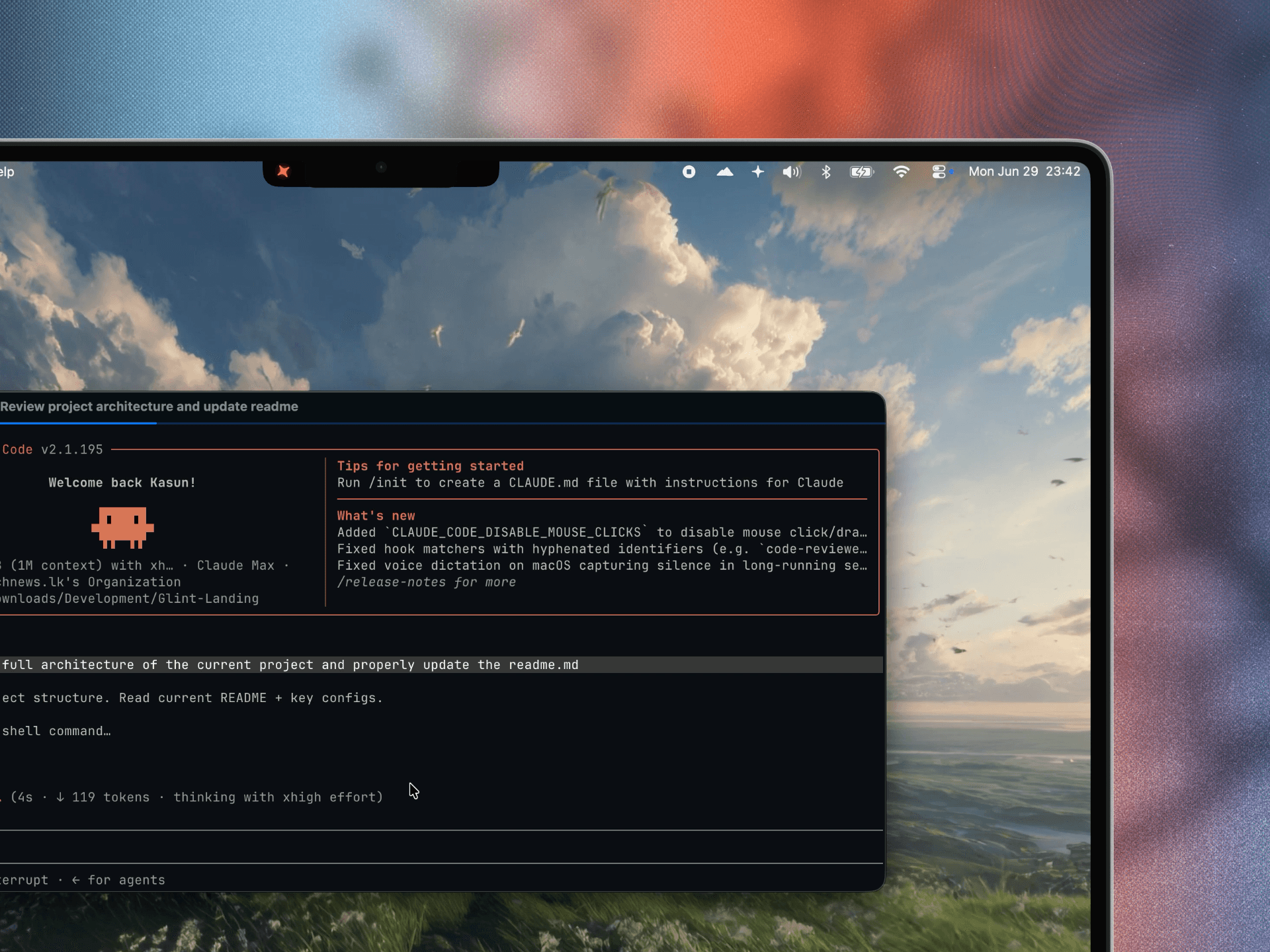
A Dynamic-Island-style overlay hugging the camera notch. Collapses to a compact pill, a dot, or fully invisible when idle - then expands on click.
Claude Code activity, right where you want it.
A lightweight island near your notch - or wherever you park it - that surfaces what your sessions are doing: live status, the current tool, token spend, the plan, and any subagents it dispatched.
One island, three homes. Toggle each independently - Glint shows the busiest session up front and tucks the rest a click away.
A Dynamic-Island-style overlay hugging the camera notch. Collapses to a compact pill, a dot, or fully invisible when idle - then expands on click.
A draggable, always-on-top pill you can park anywhere - even over full-screen apps. Drag it once; it remembers where you put it.
A bar that fills the empty space beside the Dock and expands upward when you need it.
Needs Accessibility to measure the Dock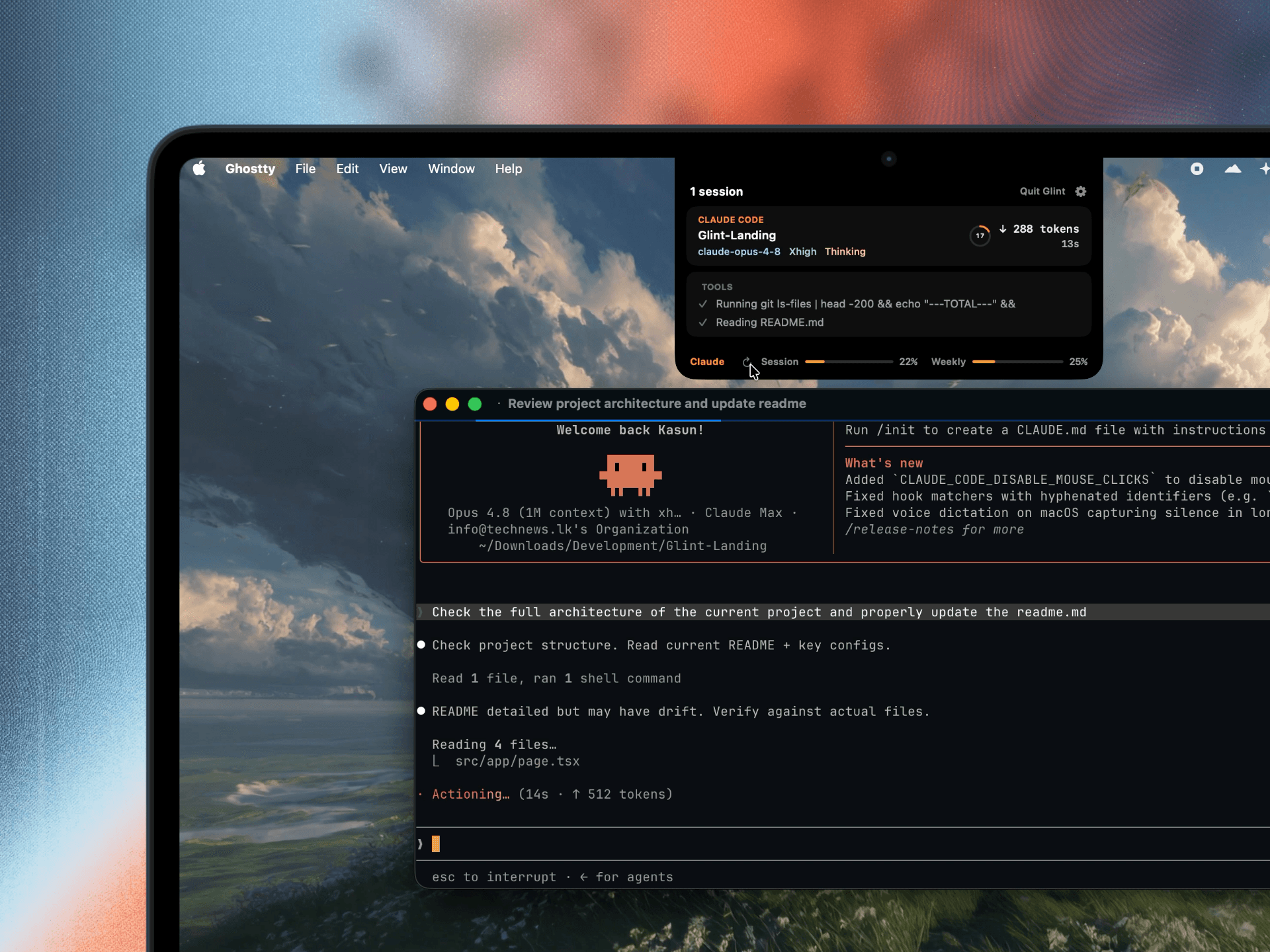
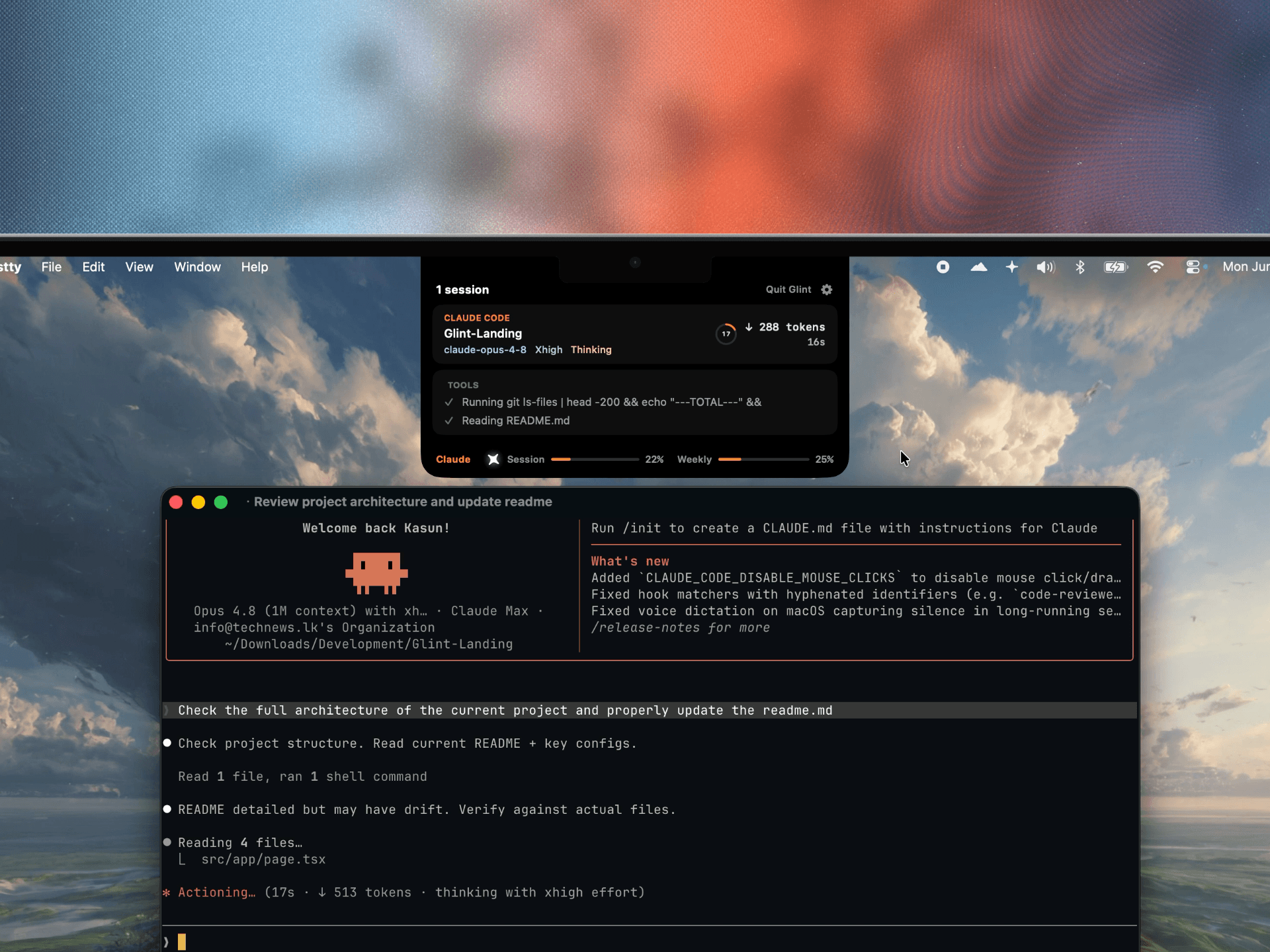
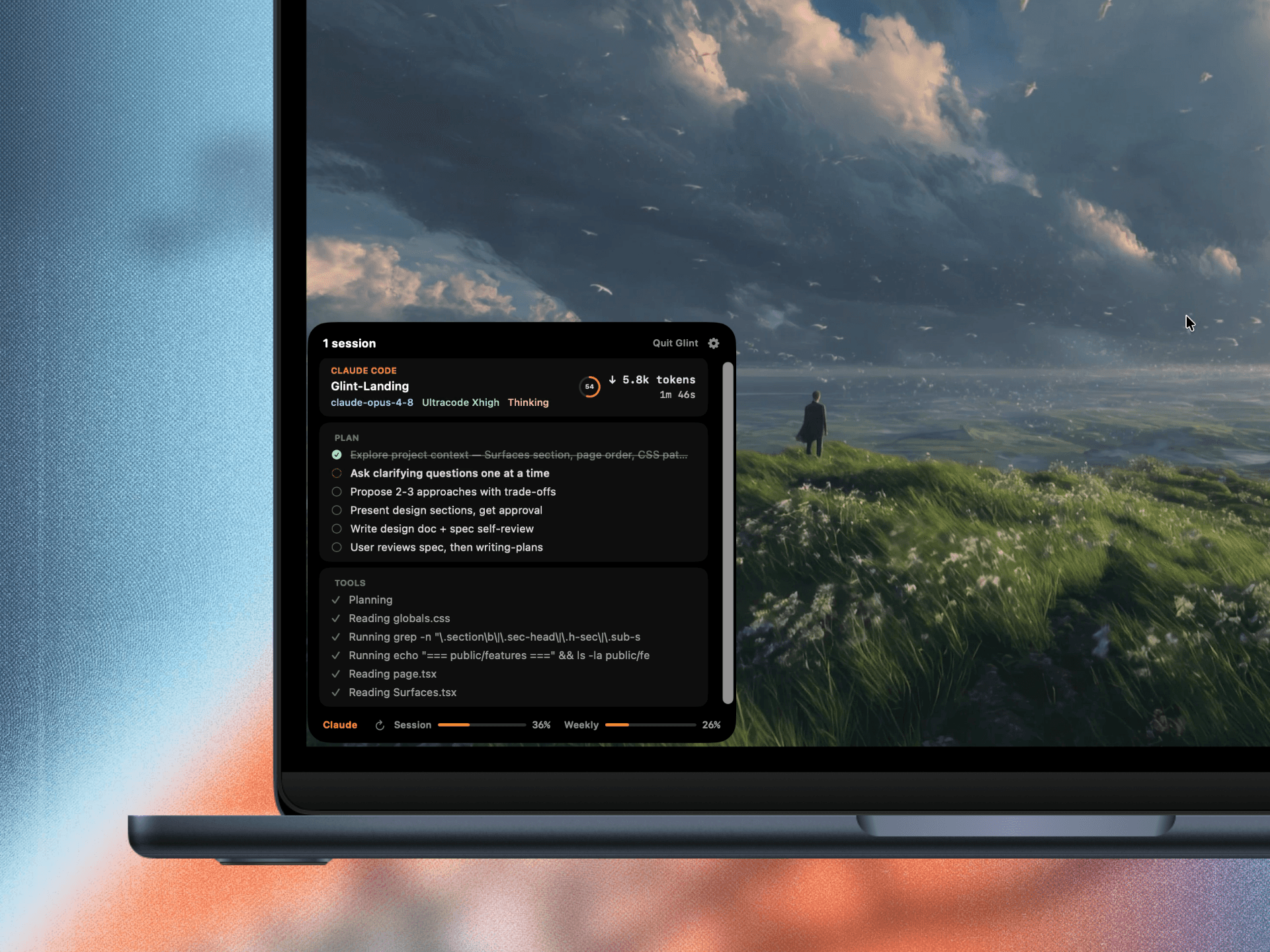
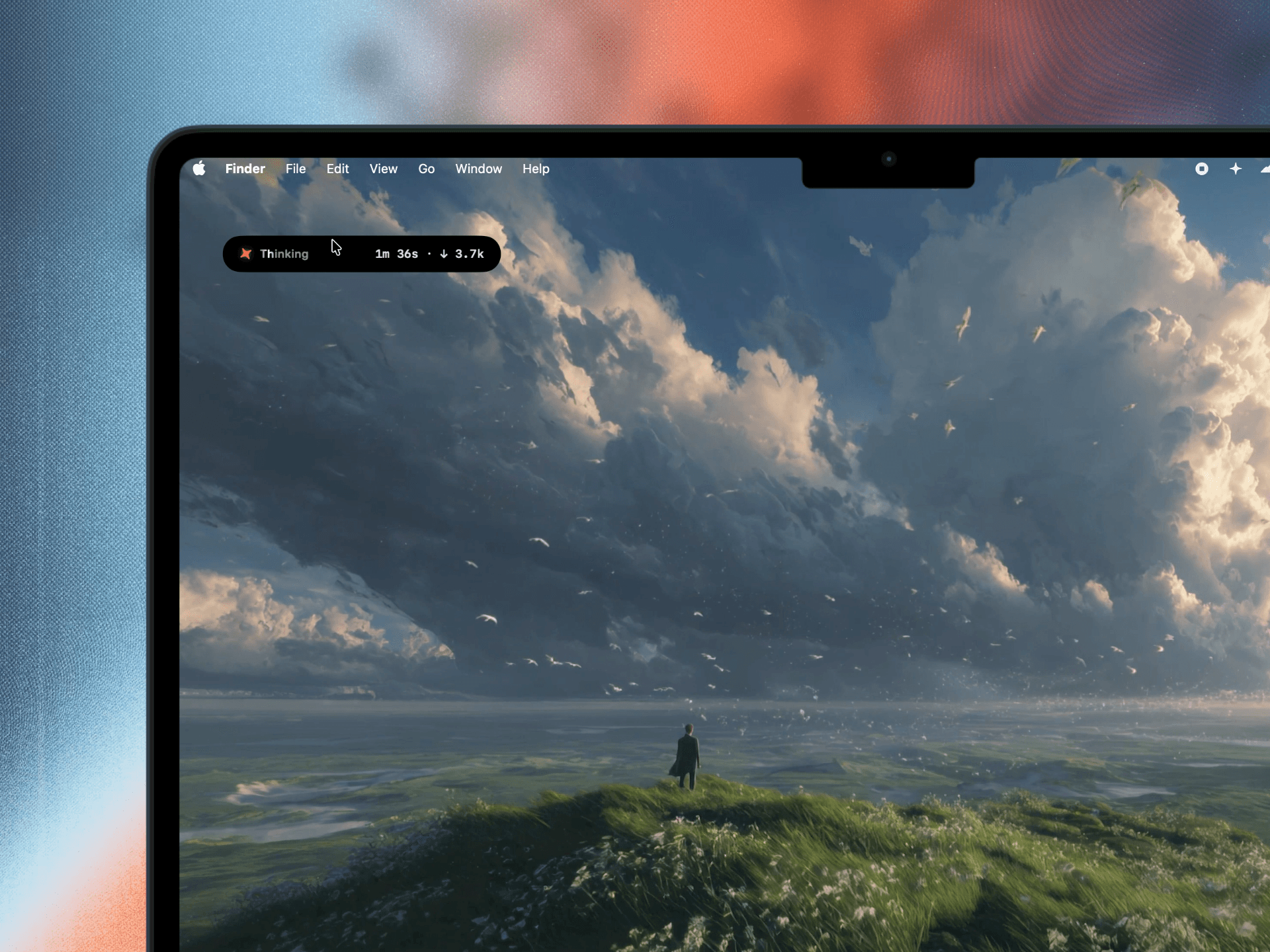
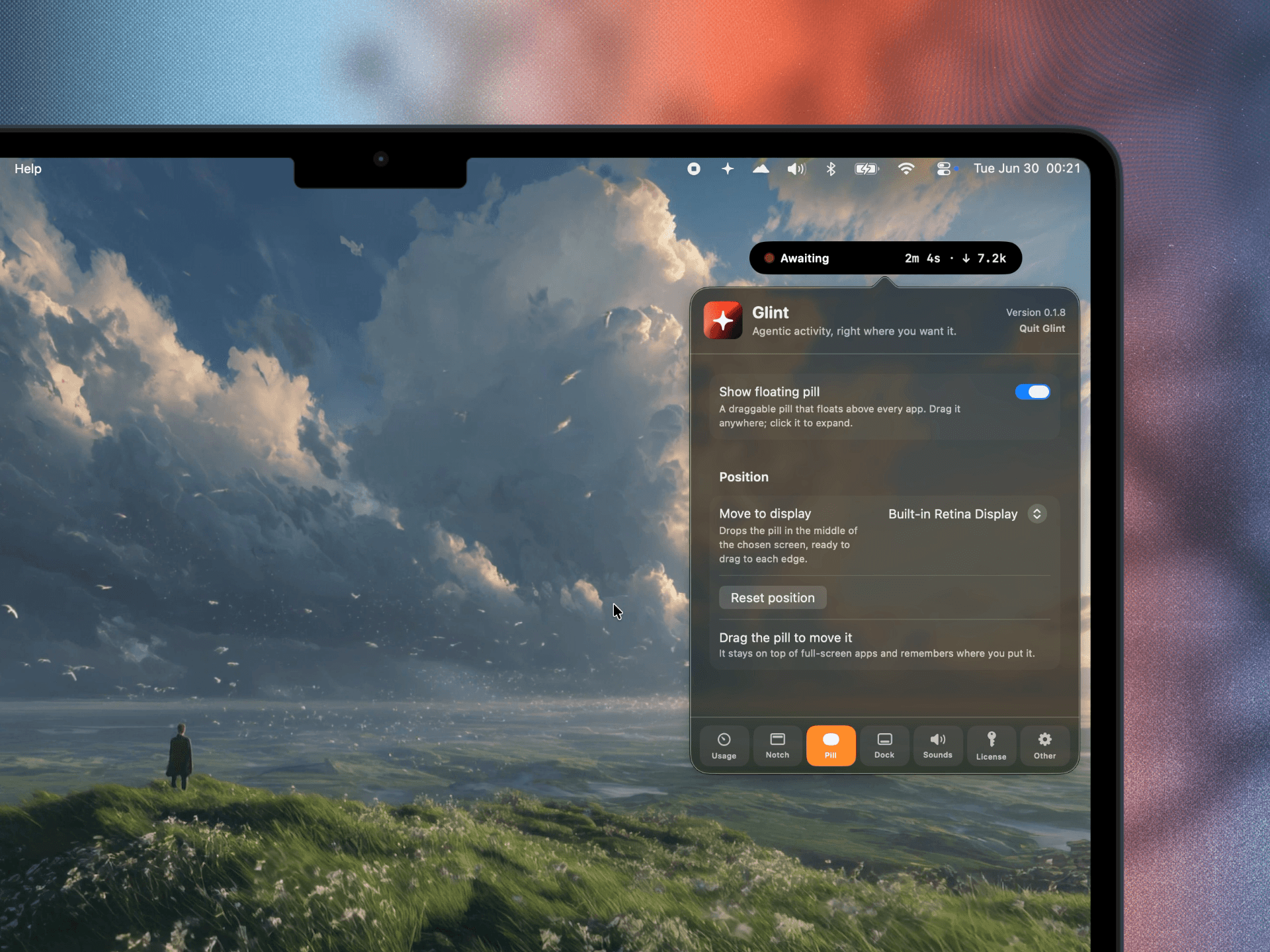
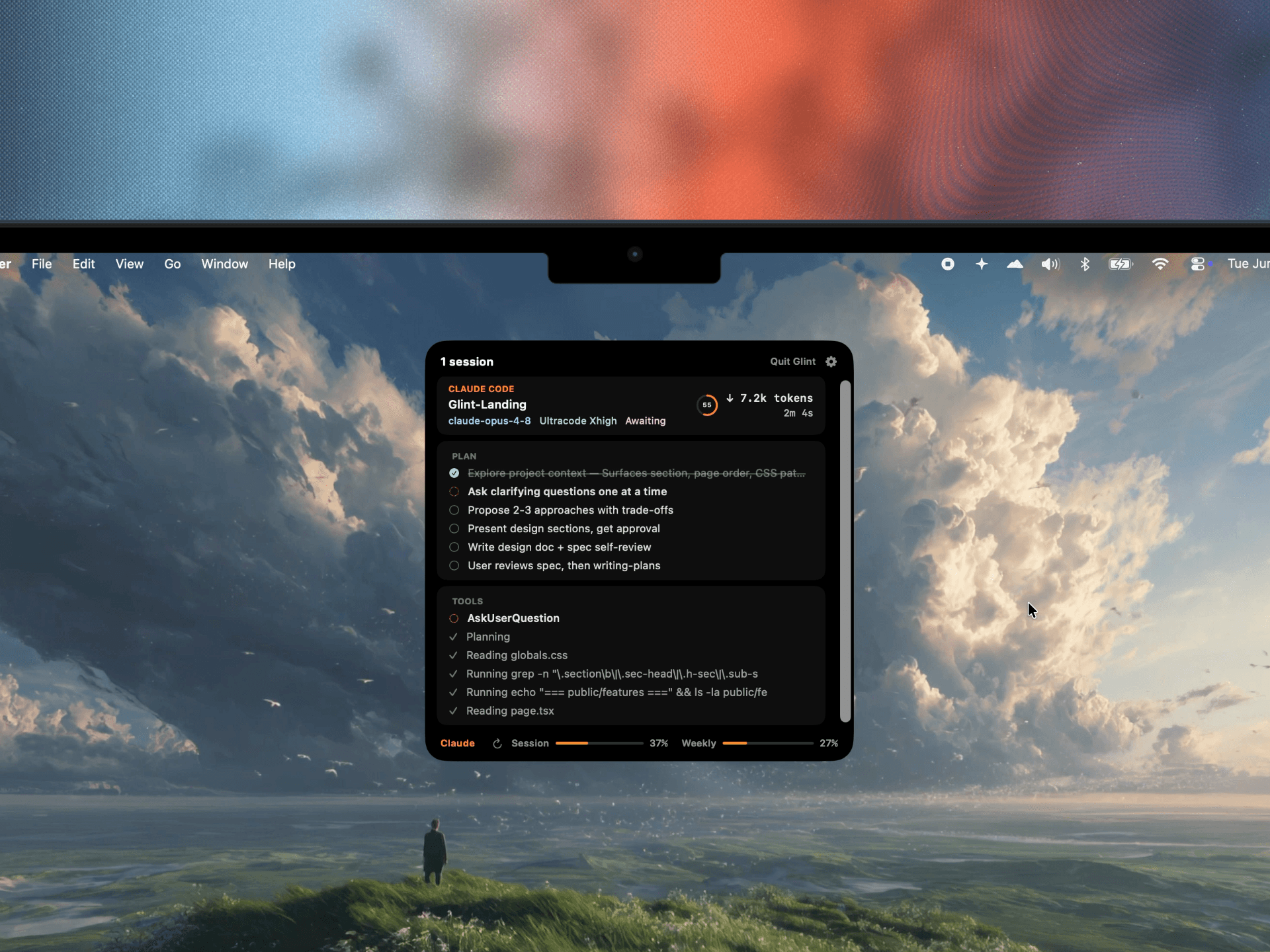
Glint reads your local session logs and mirrors exactly what Claude Code is doing, so you never have to alt-tab to check.
Idle, Thinking, or Awaiting - blocked on you - with the live tool verb, like “Editing NotchView.swift”. Usage-limit lockouts surface too, with their reset time.
Output tokens, cost, and elapsed time - matched to Claude Code’s own status line, and reset on every prompt.
The current TodoWrite checklist, ticking off as work lands.
When a session delegates, Glint shows how many agents are out and what they’re on.
A ring that matches Claude Code’s own auto-compact gauge - it turns red past 90%, and 200k or 1M-context sessions both read correctly.
The busiest - or most attention-needing - session leads; the rest list in the expanded view, each with its model and reasoning effort, like “claude-fable-5 · Ultracode Xhigh”.
Six things Glint quietly does for you - each shown as a real screenshot, not a mockup.
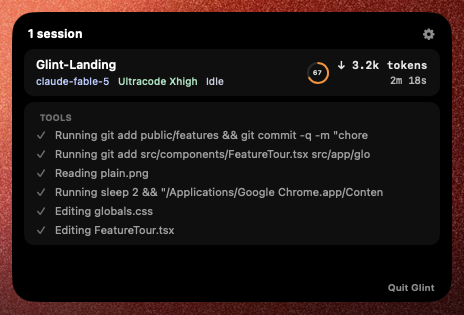
Click any island and the whole session unfolds: model and reasoning effort, the running tool log, tokens and elapsed time, and a context ring that matches Claude Code's own auto-compact gauge.
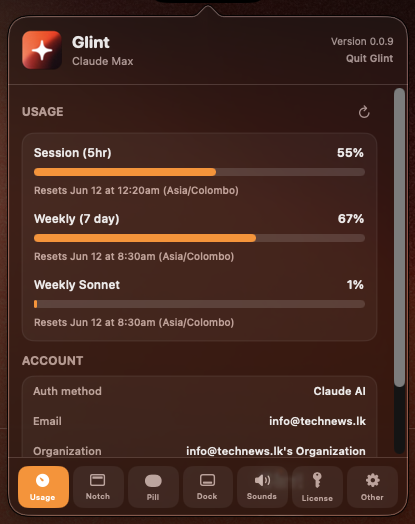
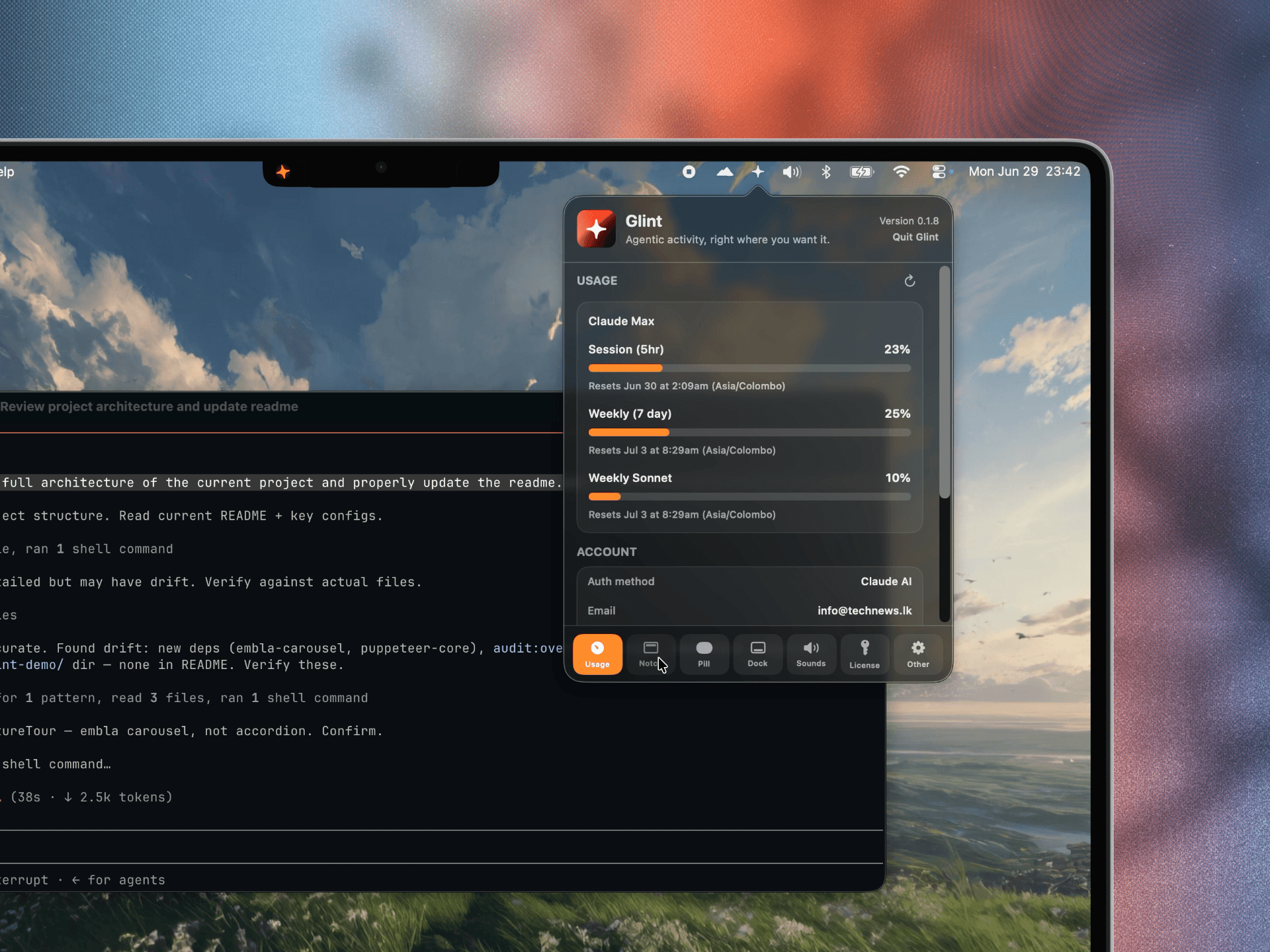
Session, weekly, and Sonnet percentages with their reset times - read from Claude Code itself, never estimated. Your account, plan, and CLI version sit right below.
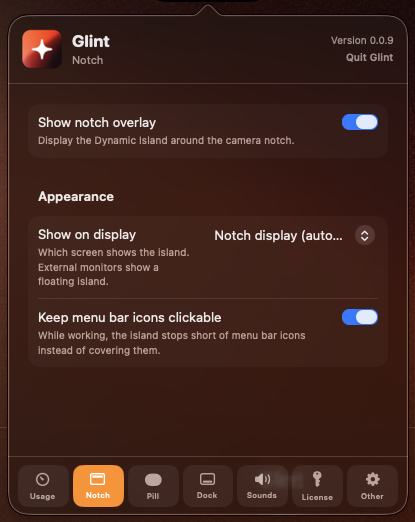
Park it around the notch, float it as a draggable pill, or dock it beside the Dock - each toggled independently. While working, the notch island stops short of your menu bar icons so they stay clickable.
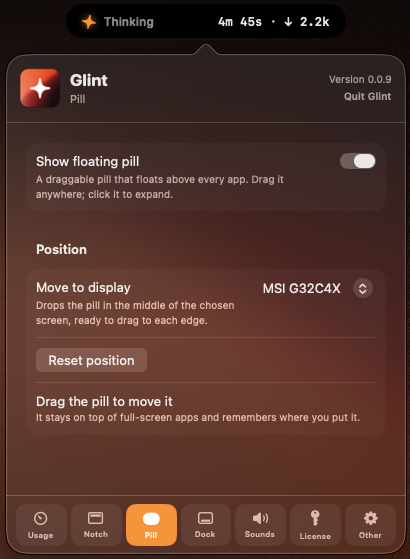
Right-click any island for Open Glint, Settings, or Quit - and the panel anchors right below it. Even when a crowded menu bar hides Glint's icon, you're never locked out.
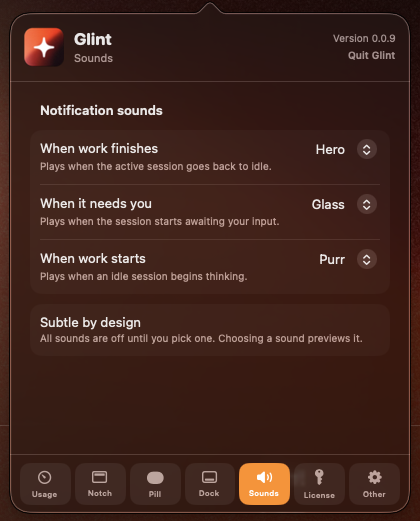
Optional macOS sounds when work finishes, when a session needs you, or when work starts. Everything is off until you pick a sound - and picking one previews it.
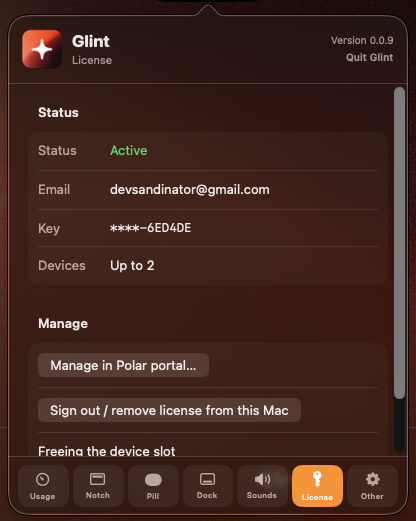
A one-time $7 license covers two Macs. Activate with a key, manage devices in the Polar portal - and that license check is the only network call Glint ever makes.
Actual Glint screenshots - nothing staged.
Glint only reads your local session logs. No accounts, no telemetry - the island is rendered entirely on-device. The only network call it ever makes is validating your license key with Polar; your session data never leaves your Mac.
Built for the modern menu bar and notch. Menu-bar / notch app - no Dock icon.
Glint reads the sessions Claude Code writes under ~/.claude, and only shows activity while it’s running.
Builds are ad-hoc signed for now, so Gatekeeper blocks the first launch. Clear it once and you’re done. Notarization is a high priority on our list and we'll ship it as soon as we have enough funds.
Real reviews from developers running Glint next to Claude Code, Codex, and Kiro - every session.
Glint is one of those apps that catches your eye. Beautifully designed, tracking your AI code companion usage and focused on what matters. The developer is super responsive and got feedback from us, leading to Kiro support days after we initially requested. Thank you and keep iterating on this amazing app!
This product is definitely a time saver. Often using Claude Code we are stuck in the loop of thinking and implementation of a feature. We don't know the execution time and waiting truly makes me anxious. Glint has been a perfect app for me to track Claude Code. It gives a notification whenever a task is completed or thinking is done. The notch/pill helps me track what's happening in Claude Code even in my multi-screen setup, letting me completely focus in my multitask setups. No more switching apps to come back and check the progress. And on clicking the pill I get a more detailed view of the context and tokens used. One word sums it all up: it's a productivity booster and my anxiety destroyer. Thanks once again to the developer for building such a useful app.
One lifetime license, priced like a coffee. No accounts, no subscription - buy on Polar, paste the key into Glint, done.
Pay once, keep it forever. No subscription - every future update included.
After purchase you'll get a license key by email - open Glint → I have a key → paste it in.
A lightweight menu-bar app that surfaces every session - live, local, and out of your way.